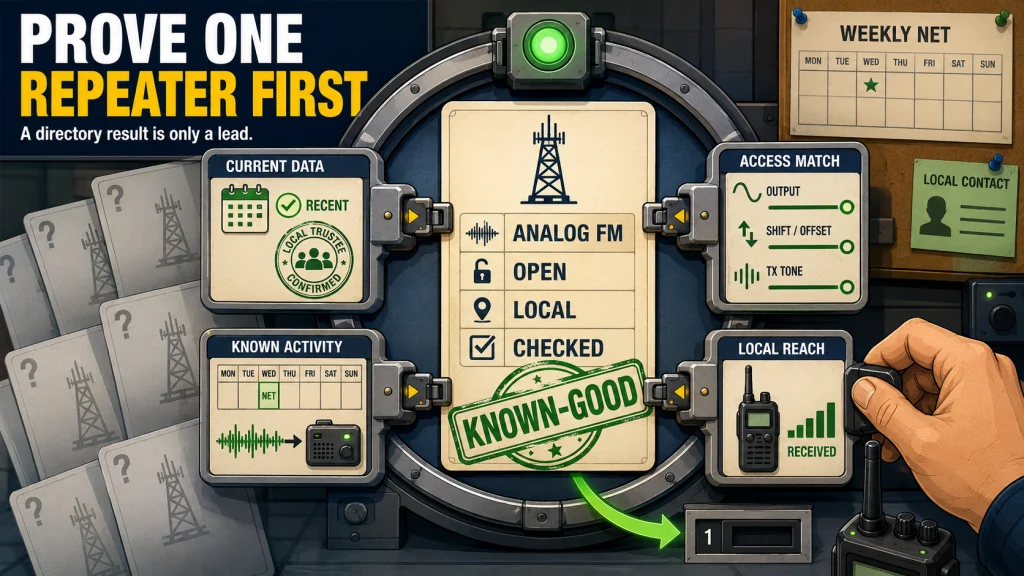
Finding a repeater is not the same as proving that it is active, reachable, open for use, and correctly listed. Start with a current directory, then confirm the operating mode, access data, status, local net schedule, and source date through a club, trustee, or other local record. A nearby analog FM repeater with recent activity and a published net is usually the easiest first system to validate. Record one verified channel before importing a large list, because a known-good memory is more useful than dozens of unconfirmed frequencies.
How to Find Ham Radio Repeaters That You Can Actually Use
Learning how to find ham radio repeaters starts with a directory search, but it cannot end there. A result may describe a real coordinated system and still be off the air, restricted, configured differently from an older listing, or unreachable from your exact location. Treat every directory result as a lead that needs local confirmation.
When a new licensee tells me they have not keyed up yet, I usually ask whether they have found a local repeater at all. The next question is where the data came from and whether anyone has confirmed it recently. Those two checks often separate a radio problem from a directory problem, a coverage problem, or a repeater that is simply quiet.
This article covers repeater discovery and validation only. It does not walk through radio menus, explain every tone field in depth, or teach repeater conversation. The goal is to finish with one complete, current repeater record that is ready for the next programming step.
Evidence status: Research-based. This workflow uses current directory field definitions and established validation methods, not a HamRigs drive test of the repeaters in your area.
Use Several Sources, Not Several Copies of the Same Listing
A search for “ham radio repeaters near me” usually returns a large directory first. RepeaterBook is a useful starting point because its records can include frequency, access information, operating mode, use status, operational status, location, links, and a review date. The important word is starting. A directory cannot hear the repeater from your driveway or guarantee that every field was checked on the air.
Search by your city, county, ZIP code, coordinates, or a nearby landmark, then compare the results with local sources. Distance sorting helps reduce the list, but the nearest site on a map is not automatically the easiest system to reach. A repeater farther away on elevated terrain may provide a cleaner path than a closer machine hidden behind a ridge or dense building obstruction.
Local Sources Explain What a National Directory Cannot
Club pages often publish repeater details, maintenance notices, scheduled nets, and contact information for the people who operate the system. An ARRL club search can help identify organizations in the area, but the club’s own current page or net calendar is usually more useful for confirming how a repeater is actually being used. A page that lists a weekly net gives you both a likely activity time and a local contact path.
Frequency-coordinator listings are another useful source where they are publicly available. Coordination indicates that a frequency pair and related technical parameters have been recommended to reduce interference. It does not prove that the repeater has been built, remains on the air, or is active today.
Use the following source order when the listings disagree:
- Repeater trustee or operator: Best source for current operating status, access policy, maintenance, and exact configuration.
- Sponsoring club or system page: Strong source for net schedules, planned links, outages, and local use.
- Recent coordinator record: Useful for coordinated frequency and technical data, but not proof of current activity.
- Current repeater directory: Efficient for discovery and comparison, with accuracy dependent on the record and review history.
- Local operator recommendation: Valuable for practical reach and activity, provided the operator is describing the same mode and current configuration.
The point is not to collect five identical frequency lists. It is to combine sources that answer different questions: what is listed, what is coordinated, what is scheduled, what is currently operating, and what can be reached from your area.
Capture Every Field Needed for One Complete Repeater Record
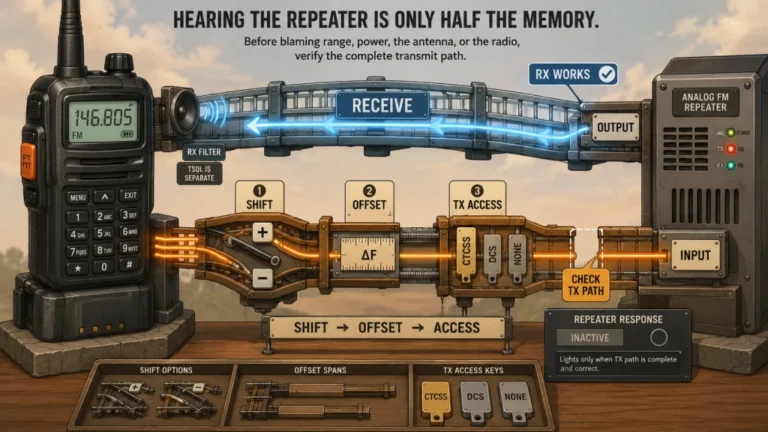
A frequency by itself is not a usable channel plan. You need the repeater’s output frequency, the path your radio uses to transmit back, the access method, the operating mode, and enough status information to know whether the record is worth programming. Missing one field can produce a channel that sounds correct while receiving but never opens the repeater when you transmit.
The exact digital fields depend on the mode, so do not transfer analog assumptions into a digital channel. An analog FM record may need a CTCSS or DCS transmit setting. A digital system may require mode-specific information such as a color code, time slot, talkgroup, network, routing field, or access code, depending on the system and radio.
| Field to record | What it tells you | Common mistake |
|---|---|---|
| Output frequency | The frequency transmitted by the repeater and normally received by your radio | Treating it as the only frequency needed |
| Input, shift direction, and offset amount | Where your radio must transmit to reach the repeater | Recording only a plus or minus sign without confirming the amount |
| Analog access tone | The CTCSS or DCS setting used to access an analog repeater when required | Confusing the transmit access tone with an optional receive filter |
| Digital access parameters | The mode-specific values needed for the selected digital path | Assuming frequency and offset are enough for every digital system |
| Operating mode | Whether the system supports analog FM, one or more digital modes, or a documented combination | Trying to use an analog-only radio on a digital-only repeater |
| Use status | Whether the repeater is open, restricted, or otherwise limited | Reading “closed” as “off the air” |
| Operational status | Whether the listing reports the repeater as on-air, off-air, testing, unknown, or archived | Assuming “on-air” guarantees a current RF path from your location |
| Location and coverage notes | The general site area and any published description of intended coverage | Treating a map radius as a guaranteed boundary |
| Linked-system information | Whether the repeater carries traffic from other repeaters or networks | Assuming every voice heard is local or every link is permanent |
| Source and check date | Where the record came from and when you last confirmed it | Copying data into the radio with no way to audit it later |
A complete record lets you diagnose one variable at a time. If the radio receives but cannot access the system, you can inspect the transmit path and access fields. If it hears nothing, you can investigate activity, location, mode, and coverage without immediately rewriting every memory.
Read Directory Labels as Claims With Specific Meanings
RepeaterBook is most useful when you interpret each record instead of copying the fields without context. “On-air” describes the directory’s reported operational state. “Open” describes who is permitted to use the repeater. A system can be operational but closed, or open in policy but temporarily off the air.
Review and verification dates also need context. A recent date is stronger than a record untouched for years, but it does not automatically mean that every technical field was tested from your location. Different directories and local databases may use terms such as updated, reviewed, verified, or confirmed in different ways, so inspect what the label represents before treating it as an on-air test.
Mode Labels Determine Whether Your Radio Belongs on the System
An analog FM listing is the simplest match for an analog FM radio. A digital-only listing requires a compatible mode and the correct digital parameters. A mixed-mode record may support both analog and digital operation, but the local configuration can limit when or how each mode is available.
Do not assume that every mode shown in a directory is active at the same time or available through the same access process. Confirm the current system page or trustee information, especially when the listing shows several digital networks, dynamic talkgroups, or mode switching. The more complex the record, the more valuable local documentation becomes.
Linked Repeaters Change the Meaning of What You Hear
A linked repeater may carry traffic from another city, region, or internet-connected network. Some links operate full time, some are activated only for nets, and others can be connected on demand. A burst of distant conversation does not prove that local operators are active on that machine every day.
Linked systems can also make a quiet local frequency suddenly busy during a scheduled event. Record whether the link is permanent, scheduled, or user-controlled when that information is published. This helps you choose an appropriate listening period and prevents you from mistaking network behavior for a local coverage problem.

Radioddity GA-510 is a dual-band analog handheld covering VHF and UHF operation. Radioddity lists 128 memory channels, CTCSS and DCS support, three scanning modes, and selectable 10W, 5W, and 1W power levels. The radio supports both front-keypad programming and CHIRP computer programming.
Check On AmazonIf you click this link and buy, we earn a commission at no additional cost to you.
Check Activity Before You Blame the Radio
Silence does not prove that a repeater is down or that your memory is wrong. Many operational repeaters remain quiet for long periods outside commute times, scheduled nets, weather events, or regular group activity. Listen during several likely busy periods rather than making a judgment from one random minute in the afternoon.
A published net is the best validation window because it gives you a known date, time, and expected source of traffic. Check the club calendar, repeater page, or local net listing, then listen before changing the radio. If the net should be active and you hear nothing, you have a more useful troubleshooting clue than general silence.
Use an Activity Ladder Instead of Repeated Test Transmissions
Start with passive checks. Monitor the output frequency, confirm that the radio is in the correct mode, remove an unnecessary receive-tone filter if it could be muting audio, and compare the schedule with the current local time. Then ask a club contact, trustee, or local operator whether the system is active and whether the listing is current.
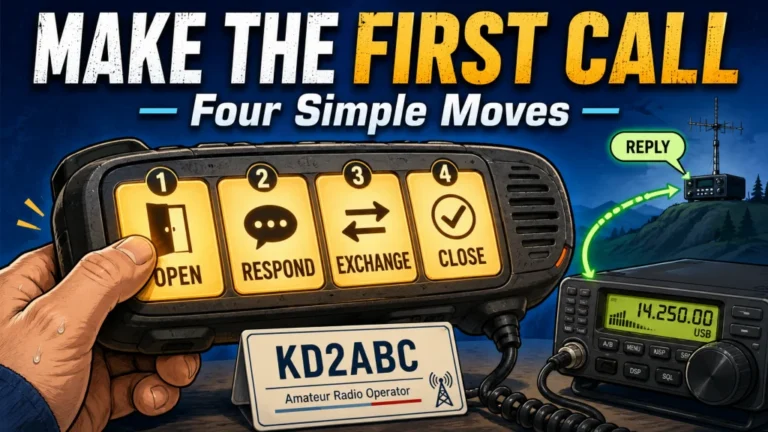
After the data and operating status are confirmed, a licensed operator can make a properly identified call rather than repeatedly keying the transmitter just to hear a courtesy tone. The details of what to say are covered in the walkthrough for making your first repeater contact. If a published net is your validation target, review how beginner ham radio nets work before the scheduled start.
Field Note: A quiet channel creates two bad assumptions at once: that the repeater must be inactive, or that the radio must be misprogrammed. A scheduled activity check separates those possibilities before you start changing settings.
The result you want is not merely a beep after transmitting. You want independent evidence that the repeater is operating, that your radio can hear it from the intended location, and that the access information matches the current system.
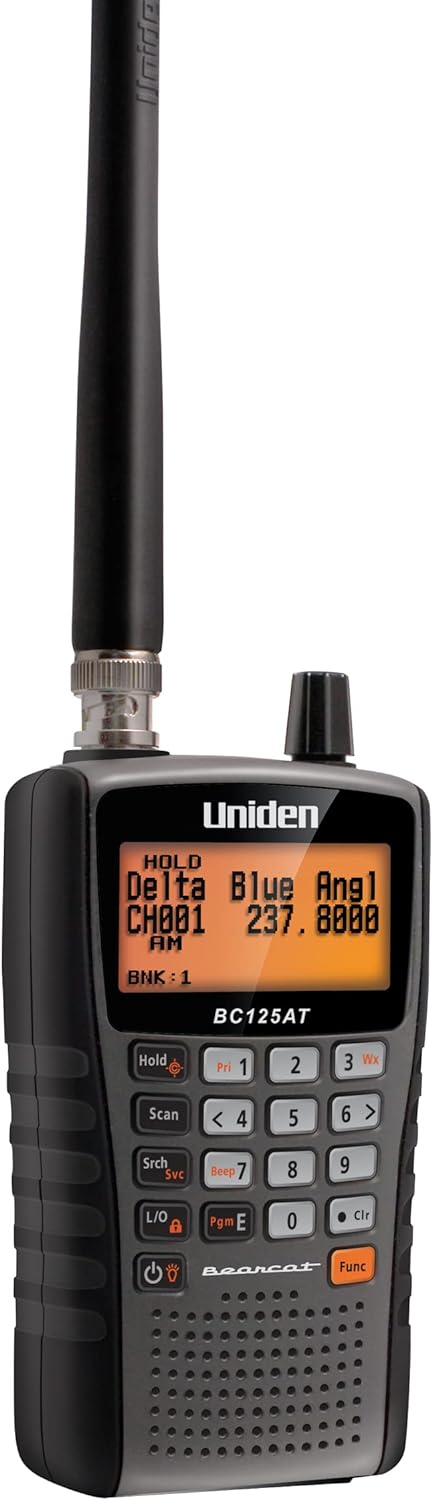
Uniden BC125AT is a handheld analog scanner with 500 alpha-tagged channels. Its supported frequency ranges include the 2-meter and 70-centimeter amateur bands, allowing analog repeater outputs in those ranges to be monitored. Uniden also provides Close Call RF capture, channel scanning, and PC programming for organizing monitored frequencies.
Check On AmazonIf you click this link and buy, we earn a commission at no additional cost to you.
Coverage Maps and Distance Numbers Are Estimates
A directory radius, site elevation, or distance from your location can help rank candidates, but none of those values guarantees a usable path. Terrain can block VHF and UHF signals even when the straight-line distance looks short. Buildings, vehicle bodies, indoor placement, local electrical noise, antenna height, and the repeater’s own antenna system can change the result.
The path is also unequal in many real setups. You may hear a high-site repeater clearly because it transmits from an elevated antenna with a strong signal, while the repeater cannot hear a low-power handheld inside a building. Hearing the output proves only the downlink side of the path.
Change Location Before Rewriting the Channel
For example, suppose a repeater is loud near an upstairs window but disappears in the center of a concrete building. That points toward building loss rather than an incorrect output frequency. If you can hear it outdoors but cannot access it, the remaining questions include transmit settings, antenna position, terrain, and whether your uplink is strong enough at that spot.
Move to a safe open location, compare indoor and outdoor reception, and try a modest change in elevation before declaring the listing wrong. Do not trespass, climb structures, park unsafely, or approach the repeater site for a signal test. A legal public location that changes the path is enough to reveal whether coverage is part of the problem.
A useful directory narrows the search. It does not replace an RF check from the place where you plan to operate.
Choose the First Repeater With the Fewest Unknowns
The best first repeater is usually not the machine with the largest advertised footprint or the most network features. It is the system you can validate with the least ambiguity. For many new operators, that means a nearby open analog FM repeater with recent confirmation, a sponsoring club, and a published net.
Analog FM is not automatically better than digital voice. It is simply easier to diagnose when the first goal is proving one complete channel. Frequency, shift, offset, and access tone create a smaller set of variables than a digital system that may also require identity registration, network selection, talkgroups, time slots, routing, or mode-specific programming.
A distant mixed-mode linked system with old review data, no current club page, uncertain access fields, and no known activity schedule.
A nearby open analog FM repeater with a current local listing, a weekly net, clear contact information, and complete frequency and tone data.
Once one simple repeater works, you have a reference channel. You can then compare a more complex system against a radio, antenna position, and programming process that have already succeeded. That is much faster than troubleshooting five unverified memories at the same time.

BAOFENG BF-F8HP is a dual-band handheld radio with selectable High, Medium, and Low transmit settings. Amazon lists the three levels at 8W, 4W, and 1W and includes a V-85 dual-band antenna with the radio. The package also contains the battery, charger, earpiece, belt clip, wrist strap, and user manual.
Check On AmazonIf you click this link and buy, we earn a commission at no additional cost to you.
Keep a Memory Plan That Can Be Audited Later
Directory data changes. Repeaters move, tones change, systems are linked or unlinked, digital parameters are revised, and machines go off the air for maintenance. A memory plan should therefore record not only the channel fields but also the source and the date you checked them.
Use a small working record before building a large radio file:
- Repeater name or callsign
- Output frequency
- Input frequency or shift and offset
- Analog tone or digital access parameters
- Operating mode and open or restricted status
- General location and relevant coverage note
- Linked-system behavior
- Directory, club, coordinator, or trustee source
- Date checked and method of activity confirmation
This record gives you a clean reason for every value stored in the radio. When something stops working later, you can see whether the memory was built from an old directory entry, a current club page, or direct confirmation from the system operator.
Correct Listings With Evidence, Not Frustration
A silent listening period is not enough evidence to mark a repeater off the air. Before submitting a correction, check the net schedule, contact the trustee or club, confirm that your receive configuration is not muting the signal, and compare more than one source. State exactly what field appears wrong and how it was confirmed.
Good corrections make directories more useful. Guess-based corrections can replace one bad record with another, especially when the real issue is coverage, temporary maintenance, a scheduled link, or a radio set to the wrong mode.
Move From Verified Data to One Known-Good Memory
Do not begin the programming stage until the repeater record is complete enough to explain both receive and transmit behavior. The broader resource on planning and programming ham radio channels shows where this validation step fits in the complete workflow. Discovery comes first because programming software cannot determine whether an old listing is still correct.
Next, make sure you understand the relationship between the repeater output, your transmit input, the shift, and the access setting. The breakdown of repeater offset and access tone fields covers that handoff without forcing you to guess which value belongs in which radio field.
Program one channel, save the complete memory, recall it, and listen during a known activity period. You can enter it from the front panel or follow the process for programming the verified channel with CHIRP. Software can copy fields accurately, but it cannot turn unverified data into a working repeater.
Decision rule: Validate one repeater, program one complete memory, recall it, and confirm activity before importing a regional list.
That sequence gives every later channel a known standard. If the first memory works and the next one does not, you can compare the repeater data and coverage instead of doubting the entire radio setup.

BTECH PC03 is a USB-A programming cable for radios using the Kenwood K1 accessory jack. Amazon lists a genuine FTDI chipset, plug-and-play operation, and compatibility with CHIRP. Supported radios listed by Amazon include models such as the BTECH UV-5X3, BAOFENG BF-F8HP, and UV-82HP.
Check On AmazonIf you click this link and buy, we earn a commission at no additional cost to you.
Respect Trustee Information and Repeater Sites
Repeater records may show a trustee callsign, club contact, landmark, general coordinates, or site description. Use that information to verify the system through published contact channels. It is not permission to visit a tower, enter private property, approach a secured building, or inspect equipment.
Many repeater sites are located on commercial towers, government facilities, mountain sites, rooftops, utility property, or land with controlled access. Even when a map pin appears precise, physical access may be unsafe, prohibited, or disruptive to the site owner. A signal test should be made from a lawful public location.
Contact the trustee politely with a specific question, such as whether the repeater is currently on the air or whether an access value has changed. Do not demand technical support, publish private contact details elsewhere, or report a listing as wrong merely because your station cannot reach it.
Good repeater discovery is partly technical and partly community conduct. Accurate records survive because operators, clubs, coordinators, and trustees share corrections responsibly.
Final Thoughts: Find One Repeater You Can Prove
A directory can tell you where to look, but a usable repeater record needs more than a frequency. Confirm the mode, access data, open or restricted status, operational status, local schedule, source date, and practical signal path before you program the channel.
Start with the repeater that has the fewest unknowns, not the longest feature list. One nearby system with current local confirmation and a known activity time gives you a reliable baseline for programming, listening, and making the first contact.
FAQs
📍 How do I find ham radio repeaters near me?
Search a current repeater directory by city, county, ZIP code, or coordinates, then compare the result with local club pages and published net schedules. Treat distance as a starting filter, not proof that the repeater is reachable.
📚 Is every RepeaterBook listing current?
No directory can guarantee that every field reflects the repeater’s condition at this moment. Check the operational status and review date, then confirm important fields through a club, trustee, coordinator record, or known activity period.
🎧 How can I tell whether a local repeater is active?
Listen during a published net, commute period, or other locally scheduled activity. A club or trustee can confirm whether the repeater is operating when normal listening produces no traffic.
📡 Why can I hear a repeater but not reach it?
The repeater may have a stronger and higher transmitting station than your uplink. Confirm the shift, offset, tone, and mode, then compare reception and access from a safe outdoor or higher location before blaming the radio.
🔓 What is the difference between an open and a closed repeater?
Open or closed describes access policy, not whether the repeater is functioning. An open repeater is available for general amateur use, while a closed or restricted system requires permission from its operator or group.
🎛️ Do I need a tone just to listen to a repeater?
Usually the transmit access tone is needed to open the repeater, not to hear its output. A receive-tone setting can filter what your speaker opens for, so an incorrect receive filter may hide traffic that is actually present.
✅ Which repeater should a beginner try first?
Choose a nearby open analog FM repeater with recent confirmation, complete access data, a sponsoring club, and a published net. This reduces the number of variables during the first programming and activity check.
🗂️ Should I import every repeater in my area at once?
No. Build and verify one complete memory first, then add other systems in small groups. A large import can hide whether a failure comes from bad source data, the wrong mode, coverage, or a programming field.