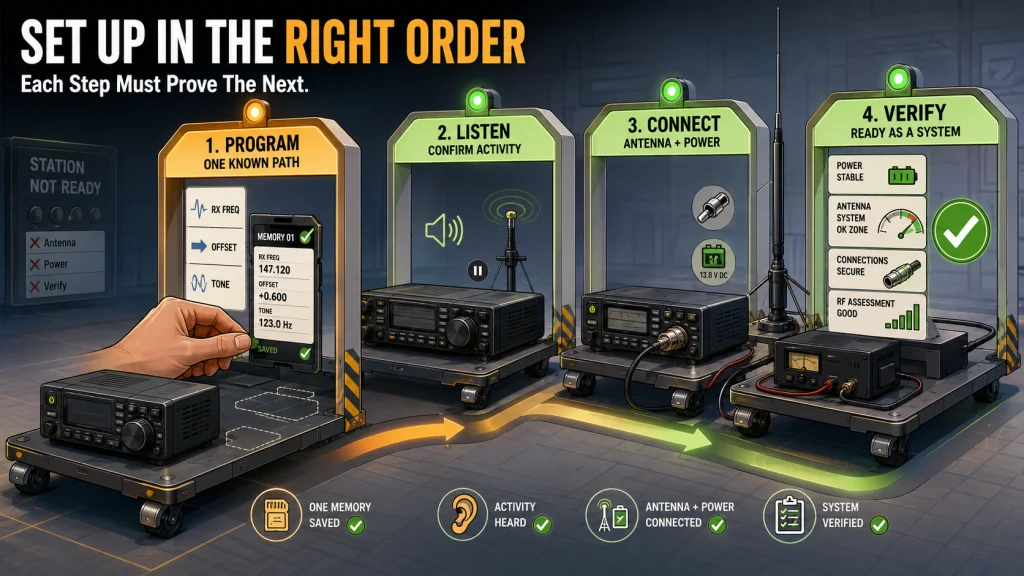
A ham radio setup is not complete when the radio turns on. The memories, operating plan, antenna system, feed line, power path, RF exposure assessment, and safety checks all have to agree before the station is ready for normal transmitting. A brand-new applicant must wait until the FCC grants the license and assigns an active call sign before making over-the-air amateur transmissions, although programming and receive-only preparation can be completed earlier. The safest sequence is to program one known communication path, listen before transmitting, connect an antenna appropriate to the situation, and verify the whole station at low risk before increasing power or making permanent changes.
A Ham Radio Setup Is a System, Not a Box
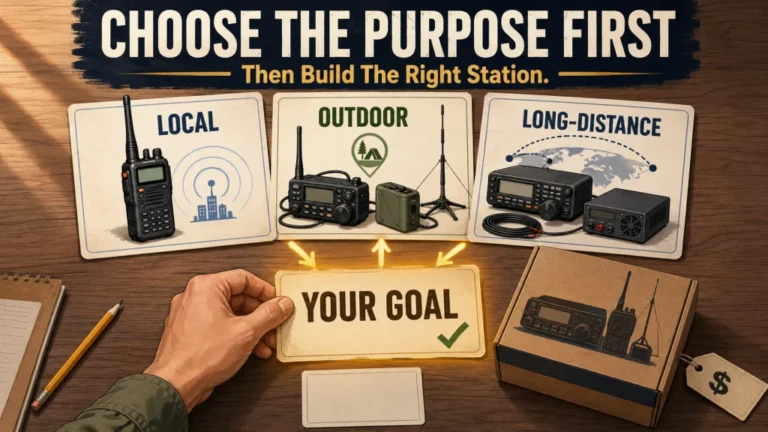
A new radio can arrive with a charged battery, a bright display, and hundreds of empty memory channels, yet still be nowhere near ready for a useful contact. The radio needs the correct frequency and access settings. The antenna, power source, connectors, and feed line must suit the operating plan, and the operator must know who to call and where to listen.
I have seen new licensees treat each of those pieces as a separate problem. They program a repeater without confirming whether it is active, attach an antenna without checking the feed line, or troubleshoot transmit range before proving the radio can receive a known signal. The better approach is sequential. Each completed step should create evidence that the next step is worth attempting.
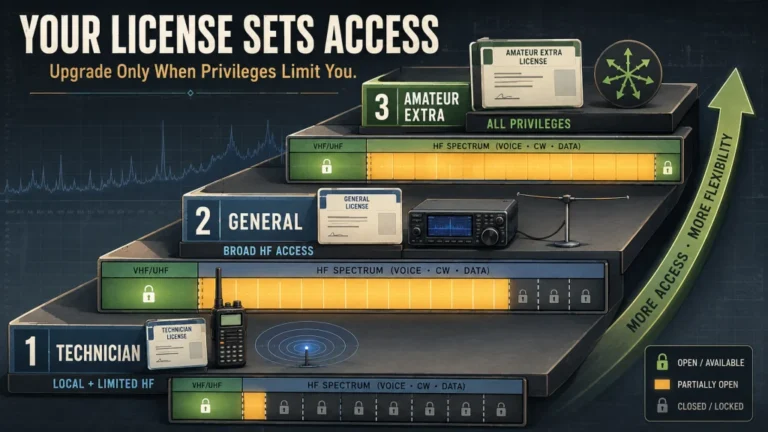
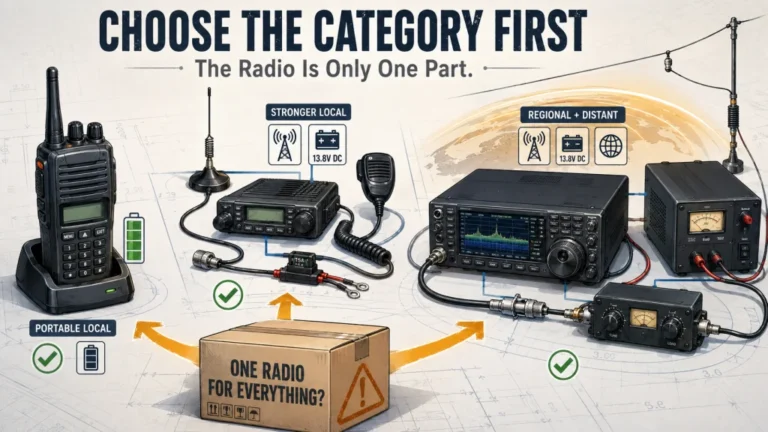
This article provides that sequence without duplicating the detailed programming, operating, antenna, and station guides linked throughout it. It does not review radios, teach the licensing process, or compare amateur radio with other services. Readers who have not selected the right radio type should first work through choosing equipment for a specific use case, while anyone still missing operating authorization should review the US amateur radio licensing process.
Use Four Decision Gates in the Right Order
The four setup jobs are programming, operating, antenna installation, and station verification. They are connected, but they are not interchangeable. Programming cannot compensate for an unsuitable antenna, more power cannot repair a wrong repeater tone, and a low SWR reading does not prove that a station is electrically or operationally safe.
The following sequence keeps one unknown from hiding another:
| Gate | Question that must be answered | Evidence needed before moving on |
|---|---|---|
| 1. Program | Does the radio contain one correct, current communication path? | A saved memory or VFO setup that matches the exact repeater or simplex plan |
| 2. Operate | Can the operator hear activity and use the channel correctly? | Reception of a known signal, correct identification, and a clear first-contact plan |
| 3. Connect | Does the antenna system fit the band, location, radio, and installation limits? | Correct antenna path, connectors, feed line, placement, and physical clearance |
| 4. Verify | Can the complete station transmit without electrical, RF, or equipment warnings? | Stable power, acceptable antenna-system behavior, exposure compliance, and no unsafe symptoms |
A handheld operator may pass through all four gates quickly because the battery, radio, and antenna are integrated. A mobile or HF station has more separate parts, so a failure can appear farther from its cause. The sequence prevents a multi-part station from being treated as if only the radio matters.
Step 1: Program What the Radio Must Know
Begin with the exact radio manual and the exact operating target. Similar-looking radios can use different menu names, cable requirements, memory workflows, and software support. Before entering anything, collect the receive frequency, transmit offset or input frequency, access tone if required, operating mode, channel bandwidth where relevant, and a useful memory name. For simplex, confirm that transmit and receive use the intended single frequency and that it lies within the operator’s privileges.
VFO mode and Memory mode solve different jobs. VFO mode normally allows direct frequency entry and temporary testing, while Memory mode recalls a saved channel with its associated settings. A beginner can configure a repeater correctly in VFO mode, switch away, and then think the radio erased the work because the channel was never written to memory. The save order is model-specific, which is why a generic video should never outrank the manual for the exact radio.
Research-based: Check current software support for the exact model before connecting a programming cable. With CHIRP or manufacturer software, read the radio first, save an untouched backup, edit a small number of channels, and test that small file before building a large memory list.
A programming failure does not automatically mean the radio is defective. The wrong cable wiring, USB chipset, driver, port selection, software build, or model profile can stop communication. Do not force a connector, repeatedly change drivers without recording what changed, or select a similar model because the name looks close. The complete workflow belongs in the ham radio programming guide.
Gate 1 is complete when one channel can be recalled and every critical setting can be explained. A list of 150 imported memories is not better evidence than one verified local repeater. Start with one known path, keep the original backup, and make the radio predictable before making it comprehensive.

BTECH PC03 is a USB-A programming cable built for radios that use the Kenwood K1 accessory jack. Amazon lists a genuine FTDI chipset, CHIRP compatibility, and support for models including the BaoFeng UV-5R, BF-F8HP, and UV-82HP. The cable is designed for plug-and-play computer connection, while the correct programming software for the exact radio is still required.
Check On AmazonIf you click this link and buy, we earn a commission at no additional cost to you.
Step 2: Build a First-Contact Plan Before Keying Up
A programmed channel is only a technical path. The operator still needs to know when activity occurs, how to identify, whether the channel is a repeater or simplex frequency, and what normal local procedure sounds like. Listen long enough to confirm that the radio receives the expected station and to understand whether a scheduled net, informal conversation, or quiet standby period is underway.
For a repeater, verify the call sign or identifying announcement when available, the access tone, the offset, and the local use pattern. For simplex, make sure both stations have agreed on the same frequency, mode, and time. Use standard phonetics when a call sign is difficult to copy, leave a short pause where local practice requires it, and keep the first transmission brief enough that another operator can respond or correct a misunderstanding.
Research-based: A first contact should be planned around a known active time rather than random scanning. A scheduled local net or a contact arranged with a licensed operator removes the uncertainty of wondering whether silence means incorrect programming, poor coverage, or simply no one talking.
- Listen before transmitting and confirm that the channel is not already in use.
- Know the call sign that must be used for identification.
- State the purpose briefly, such as a radio check or a first net check-in.
- Release the push-to-talk control and leave room for a reply.
- Write down any correction instead of changing several settings at once.
The first-contact goal is proof that the programmed path, antenna, location, and procedure can produce a two-way exchange. The detailed sequence for repeaters, simplex, identification, nets, phonetics, and etiquette is covered in how to get on ham radio.
Step 3: Connect an Antenna System That Fits the Situation
The antenna system includes more than the visible antenna. It also includes the feed line, connectors, adapters, mounting method, routing, weather protection, clearances, and the physical environment around the radiating element. An antenna intended for one band or installation type should not be assumed to work safely on another simply because the connector fits.
A handheld operator may begin with the supplied antenna and a known repeater, then improve the location before changing hardware. A home VHF/UHF station may need an outdoor or attic path that respects housing rules and keeps the feed line practical. An HF station requires enough space or a deliberate portable plan, while a vehicle installation must account for cable routing, airbags, vehicle electronics, water entry, driver visibility, and secure mounting.
Research-based: Choose the installation path first: handheld, fixed home VHF/UHF, HF, restricted housing, portable, or mobile. Then use the antenna guide for that situation. Do not combine instructions from several installation types into one improvised system.
Feed-line loss becomes more important as frequency and cable length increase. A long or unsuitable coax run can consume much of the power before it reaches a VHF or UHF antenna, even when the radio display still shows full output. Connector quality and weather sealing also matter because moisture, looseness, or a poorly installed adapter can create intermittent loss that looks like a radio problem.
The antenna gate is complete only when the antenna suits the operating band, the physical installation is secure, the feed line reaches the radio without unsafe routing, and the area around the antenna can meet RF exposure and electrical-clearance requirements. Use the ham radio antenna setup guide to choose the correct branch instead of applying one universal installation method.

Comet GP-3 is a dual-band VHF/UHF base antenna for 144 and 430 MHz amateur use. Verified product data identifies a fiberglass omnidirectional vertical design, 50-ohm impedance, and a 200W maximum rating. The listing positions the GP-3 for amateur and repeater installations and identifies it as a base vertical antenna.
Check On AmazonIf you click this link and buy, we earn a commission at no additional cost to you.
Step 4: Verify the Complete Station Before Normal-Power Operation
Verification begins with the power path. Confirm the radio’s required voltage, polarity, connector type, fuse arrangement, and maximum transmit current from the exact manual. A power supply should have enough continuous current capacity for the radio under transmit load, not merely enough to light the display in receive. If the radio resets, dims, produces distorted audio, or causes a cable or connector to heat, stop and inspect the power path before transmitting again.
Next, inspect the RF path from the radio to the antenna. Confirm that every connector is fully seated, the coax is the intended impedance and type, no cable is crushed or sharply bent, and no adapter is carrying mechanical strain. Check SWR or the manufacturer’s antenna warning at low power while legally authorized to transmit. A tuner or matching function should not be used to hide a damaged connector, wet feed line, incorrect antenna, or unsafe installation.
Research-based: Treat SWR as one diagnostic measurement, not a complete station grade. A low reading does not prove low feed-line loss, effective radiation, correct grounding, RF exposure compliance, or good local coverage.
Grounding must be separated into its actual purposes: electrical safety, lightning protection, and control of unwanted RF currents. The best arrangement for one purpose may not solve the others, and adding an isolated ground rod without understanding the existing building grounding system can create a dangerous difference in potential. Permanent grounding, bonding, lightning protection, and service-entrance work must follow local requirements and may require a qualified professional.
RF exposure is also part of verification. US amateurs are expected to evaluate their stations for compliance and reassess when changes affect exposure. The answer depends on frequency, power at the antenna, antenna gain, duty cycle, operating mode, placement, and whether people are in a controlled or uncontrolled environment. Use a current evaluation method and preserve the result with the station records instead of guessing a universal safe distance.
The broader checks for power supplies, connectors, coax loss, SWR, grounding, lightning planning, RF exposure, and symptom-based diagnosis belong in ham radio station basics. Gate 4 is complete when the station behaves normally at the intended operating level and no electrical, RF, mechanical, or legal warning remains unresolved.

Surecom SW-102 is a digital VHF/UHF antenna power and SWR meter for analog radios. Amazon lists direct digital readouts for VSWR, forward power, and reflected power, plus a built-in frequency counter. The listing specifies 50-ohm impedance and includes SL16-to-SMA-F and SL16-to-SMA-M connectors.
Check On AmazonIf you click this link and buy, we earn a commission at no additional cost to you.
Troubleshoot by Symptom, Not by Shopping
When a station does not work, change one layer at a time. Replacing the radio before checking the memory, antenna, and power path can preserve the original problem while adding a second unfamiliar device. Start with the simplest observation that separates one cause from another.
| Symptom | First checks | Stop condition |
|---|---|---|
| No expected signal is heard | Correct frequency, mode, squelch, volume, known activity time, and receive location | Stop changing transmit settings until reception is verified |
| Repeater is heard but cannot be accessed | Authorization, offset, input frequency, tone, power level, antenna, and location | Stop repeated keying if access details or privileges are uncertain |
| Radio resets or display dims on transmit | Supply voltage under load, current capacity, fuses, connector resistance, and cable size | Stop transmitting if wiring, connectors, or the supply become warm |
| SWR warning or sudden reflected-power increase | Correct band, connector seating, coax damage, water entry, and antenna condition | Stop normal-power transmission until the RF path is inspected |
| RF appears in speakers, computers, or controls | Feed-line routing, connector integrity, bonding plan, common-mode current, and power reduction | Stop if RF affects safety equipment or causes uncontrolled operation |
The station should become simpler during diagnosis, not more elaborate. Return to one verified channel, minimum useful power, one antenna path, and one known receiving station. Once the basic path works, restore features or accessories one at a time. That method provides evidence instead of guesses.
Adjust the Sequence to the Radio Type
A handheld-only operator can usually start with programming, listening, and one short contact because the battery, radio, and antenna form a compact system. The main decision gates are authorization, correct channel data, reachable activity, and safe operating habits. Use the lowest power that maintains the contact, keep the antenna away from the face, and improve location before assuming that more power is the answer.
A mobile radio adds a separate power circuit, antenna mount, feed line, microphone position, and vehicle environment. It should not be operated at normal power until the power and antenna paths have been checked. Do not route wiring through airbag deployment zones, moving seat mechanisms, sharp metal edges, hot components, or locations that interfere with driving. If drilling, firewall penetration, or integration with modern vehicle electronics is required, use the vehicle manufacturer’s guidance and a qualified installer.
An HF station adds the widest set of dependencies. The antenna and feed line may dominate performance, the power supply must support the radio under transmit load, and grounding, bonding, lightning planning, RF exposure, and household interference require deliberate review. A successful receiver test is not enough evidence for normal-power transmitting. Complete the antenna and station checks before treating the radio as ready.
Decision rule: The more separate components the station has, the more evidence you need before normal-power operation. A handheld may be ready after one verified channel and contact plan. A mobile or HF station must also prove its power, feed-line, antenna, installation, and safety paths.

SeeSii NanoVNA-H4 is a handheld vector network analyzer with a 4-inch touchscreen. Verified product data lists a 10 kHz to 1.5 GHz measurement range and antenna functions that include SWR, phase, and Smith chart measurements. The package includes two SMA male-to-male RG316 cables plus open, short, and load calibration pieces.
Check On AmazonIf you click this link and buy, we earn a commission at no additional cost to you.
Know When the Setup Must Stop
Stop before any antenna, mast, wire, ladder, tool, or person could contact an overhead conductor or fall into one. Do not assume a covered overhead line is insulated or safe. If the proposed work area includes electrical lines, choose another location or bring in a professional who can establish a legally compliant plan. Never install, raise, lower, or inspect an antenna system during a storm.
Roof work, tower climbing, structural mounting, drilling through walls or vehicle panels, mains-power wiring, lightning-protection work, and alterations to a building grounding system are not casual extensions of radio setup. Local code, lease terms, HOA rules, manufacturer requirements, structural conditions, and insurance obligations may change what is allowed. Stop when the work exceeds your training, access equipment, or ability to verify those conditions.
- Stop if the antenna or mast can reach an overhead line in any direction, including during a fall.
- Stop if a power connector, cable, fuse, or supply becomes hot, discolored, or unstable.
- Stop if the radio reports an antenna fault or the SWR changes sharply without explanation.
- Stop if RF affects vehicle controls, safety equipment, medical devices, or another system that cannot be safely tested.
- Stop if drilling or cable routing may enter hidden electrical, plumbing, structural, airbag, or fuel-system areas.
- Stop all outdoor antenna work when thunder is heard or storms are approaching.
A working station is not worth an electrical, fall, fire, RF, or vehicle hazard. Delaying the contact while the installation is reviewed is part of competent operating, not a failure to finish the project.
Final Thoughts: Make Every Step Prove the Next One
The fastest path from unboxing to a reliable station is not skipping checks. It is arranging them so each step answers one question. Program one known path, receive a known signal, make one controlled contact, connect an antenna suited to the situation, and verify power, feed line, SWR, grounding plan, RF exposure, and physical safety before normal operation.
When the station fails a gate, stay at that gate. Do not add power to solve programming, do not replace the radio to solve a loose connector, and do not make a permanent installation before a temporary test proves the operating plan. A complete setup is the point where the radio, operator, antenna, power source, location, and rules all support the same job safely.
Explore More Ham Radio Setup Guides
Each stage of the setup sequence has its own detailed guide because the evidence and stop conditions are different. Use the guide for the gate you have not yet completed rather than trying to solve the entire station in one sitting.
| Guide | What it helps with |
|---|---|
| Programming a Ham Radio | Build verified repeater and simplex memories, choose the correct programming workflow, and preserve a recoverable backup. |
| Getting On the Air | Move from listening to a first repeater or simplex contact with correct identification and normal operating procedure. |
| Setting Up a Ham Radio Antenna | Choose the correct installation path for handheld, home, HF, restricted-housing, portable, or mobile operation. |
| Building a Safe Radio Station | Verify power, connectors, feed-line loss, SWR, grounding, lightning planning, RF exposure, and common station symptoms. |
Return to this sequence whenever a change affects more than one part of the station. A new antenna, feed-line route, power supply, operating band, or installation location can reopen a gate that the previous setup had already passed.
FAQs
📻 Can I program a ham radio before my license is granted?
Yes. You may enter memories, configure receive settings, read the manual, and listen before the license is granted. A first-time applicant must wait until the FCC shows an active license and call sign before making over-the-air amateur transmissions.
🧪 Can an unlicensed person test a transmitter with a dummy load?
Do not key the transmitter unless the test is being controlled by someone legally authorized to transmit and the equipment is connected to a correctly rated, genuinely non-radiating load. Programming and receive-only checks are the safer pre-license preparation.
💾 Should I program every nearby repeater at once?
No. Start with one current repeater whose activity and settings can be confirmed. Proving one complete memory is more useful than importing a large list that has not been checked.
📡 Do I need to check SWR on a handheld radio?
A handheld using its intended attached antenna normally does not require the same inline test process as a separate mobile or base antenna system. Once external feed line, adapters, or antennas are added, follow the radio and antenna instructions and verify the system appropriately.
🔌 How large should my radio power supply be?
Use the exact radio manual to find the required voltage, polarity, and maximum transmit current. Choose a supply whose continuous rating supports that load with reasonable margin, and do not size it from receive current alone.
⚡ Does every ham radio station need a separate ground rod?
No. Electrical safety, lightning protection, and RF-current control are different problems, and not every setup uses the same grounding method. Do not add an isolated rod without checking the existing building grounding system, current code, and the complete bonding plan.
📏 Is a low SWR enough to prove the antenna is working well?
No. Low SWR only describes the impedance relationship seen at the measurement point. It does not prove low feed-line loss, good radiation, correct placement, safe exposure, or useful coverage.
🏠 Can I install an antenna near an overhead power line if I do not touch it?
No. An antenna, mast, ladder, wire, or tool can fall or swing into a conductor even when the planned position appears clear. Choose another location or use qualified professional help, and never perform antenna work during a storm.