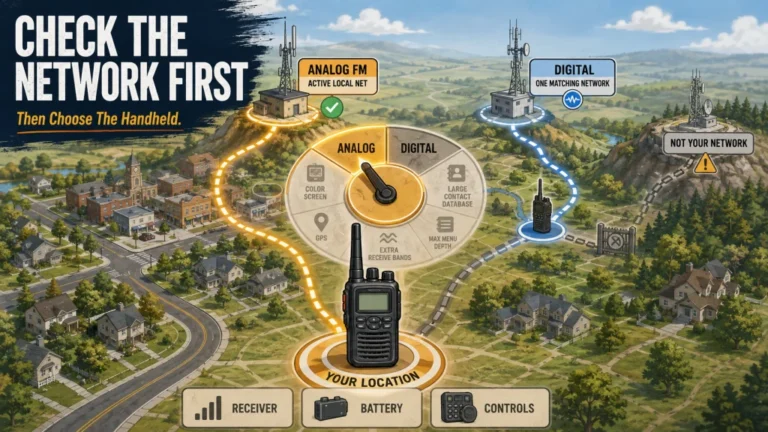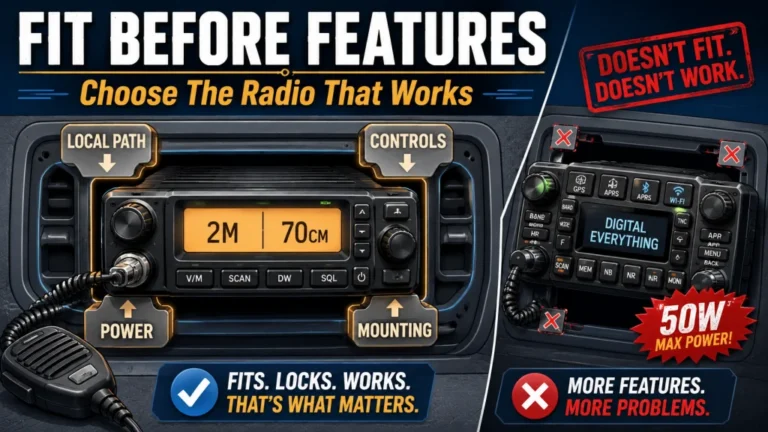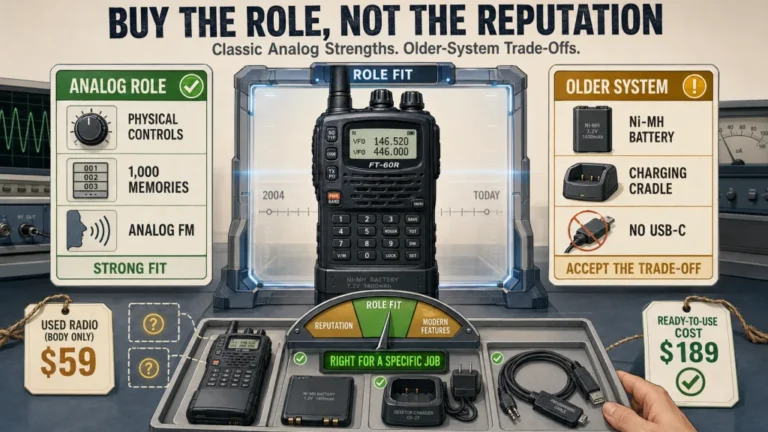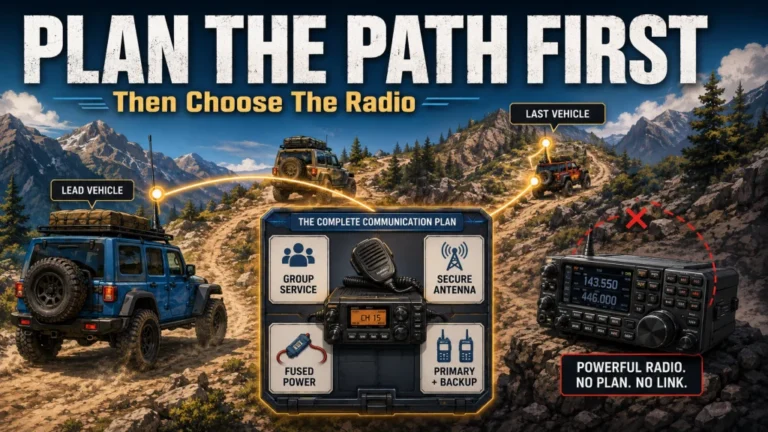
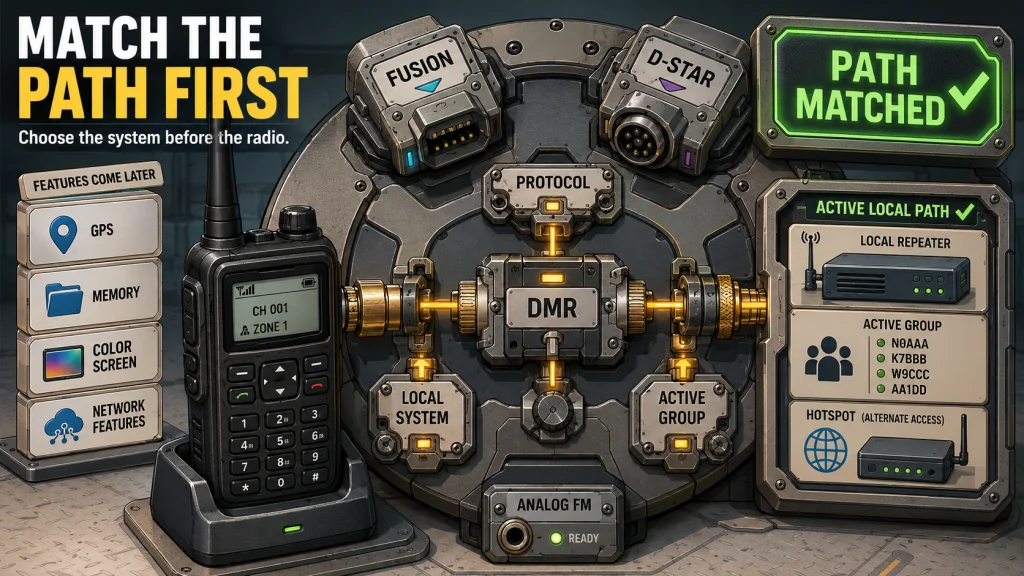
The right digital handheld matches a protocol, local repeater, group, or hotspot path you have already confirmed. DMR, System Fusion, and D-STAR are separate systems, so the best choice depends more on local activity and setup support than on a universal ranking. Current U.S. options range from lower-cost DMR radios to premium Fusion and D-STAR handhelds with GPS, APRS, dual receive, Bluetooth, and stronger weather protection. If you cannot name the digital path you plan to use, an analog handheld may still give you more useful airtime for less money and effort.
A Digital Handheld Is Not Automatically an Upgrade
The best digital handheld ham radio is not the unit with the longest feature list. It is the radio that reaches the system and people you intend to use without making routine operation harder than necessary. Digital voice can add talkgroups, rooms, reflectors, callsign routing, GPS functions, and internet-linked access, but only when the surrounding infrastructure supports them.
I start this decision with one question: who do you expect to talk to, and through which repeater or network? The common mistake is treating digital voice as one universal capability, then discovering that the local repeater uses another protocol or that the desired network requires a setup the buyer never planned to maintain.
The scope here is VHF and UHF handheld digital voice using DMR, System Fusion, or D-STAR. It does not cover HF computer modes such as FT8, broad analog handheld rankings, or detailed codeplug construction. Readers who need the basic vocabulary first can start with the beginner map of ham radio digital modes.
What a Digital Ham Radio Handheld Asks You to Manage
All three systems carry digital voice, but the operating burden is different. The useful comparison is not which protocol sounds most advanced. It is which set of fields, routing choices, and update habits you are willing to manage after the radio leaves the box.
| Protocol | What you normally select | Common failure point | Best reason to choose it |
|---|---|---|---|
| DMR | Frequency, color code, time slot, talkgroup, contacts, and zone placement | A codeplug that does not match the local repeater or network plan | Confirmed DMR activity, club support, or a defined talkgroup workflow |
| System Fusion | C4FM mode, repeater settings, DG-ID choices, and WIRES-X access where supported | Assuming every C4FM path provides native WIRES-X functions | Active local Fusion use and a preference for integrated analog and digital operation |
| D-STAR | Your callsign, repeater path, destination routing, and reflector or gateway choice | Incorrect callsign fields or stale repeater data | A confirmed D-STAR repeater, reflector, or callsign-routing goal |
A specification-only ranking hides these differences. The correct protocol is the one whose setup work leads to a contact you genuinely want to make.
What a DMR Ham Radio Handheld Requires
DMR commonly uses two time slots on a repeater channel, but the practical challenge is aligning every field. Frequency, color code, time slot, talkgroup, contact entry, receive group, and zone placement must agree with the local system. A shared club codeplug can shorten the first setup, yet it may also hide what each field controls. Local programming help is therefore part of the equipment decision, not an optional bonus.
When a C4FM Ham Radio Handheld Makes Sense
System Fusion combines Yaesu C4FM digital voice with analog FM operation, while WIRES-X can link compatible nodes and repeaters through the internet. The workflow can feel more direct than maintaining a large DMR codeplug, especially when the local repeater group already supports it. A third-party hotspot using YSF or FCS reflectors is not the same as native WIRES-X access. Confirm the exact endpoint and connection method before paying for features you may not reach.
D-STAR Centers the Workflow on Callsigns and Routing
D-STAR supports digital voice and data with callsign routing, repeaters, gateways, and reflector systems. The radio must know your callsign, local repeater path, and destination. A small routing error can make a working repeater appear unreachable, so current repeater lists and a clean first setup matter. D-STAR is strongest when a local group already uses the routing habits and reflectors you want to join.

The Retevis RT3S combines DMR digital and analog operation in a dual-band handheld. It supports up to 3000 channels and uses a rechargeable 2000mAh lithium-ion battery. Retevis also provides dedicated PC programming software and firmware downloads for the RT3S.
Check On AmazonIf you click this link and buy, we earn a commission at no additional cost to you.
Choose the Local System Before the Radio Brand
DMR, System Fusion, and D-STAR do not communicate directly at the radio-to-repeater level. A DMR handheld cannot transmit C4FM into a Fusion repeater, and a D-STAR handheld does not become a DMR radio because both systems can reach internet-linked networks. Cross-mode bridges may exist, but they are an added service layer rather than a capability you should assume.
Start with one directory lead, then prove that it is current, open, active, configured as expected, and reachable from your operating location. A long repeater list is less useful than one path you have confirmed.
- Confirm the repeater’s protocol and current operating status.
- Ask which talkgroups, rooms, or reflectors are regularly active.
- Verify whether the system is open and whether local operating practices limit access.
- Find out whether current programming help is available.
- Listen or arrange a test before treating the listing as proven.
The steps for finding active ham radio repeaters help separate a directory entry from a system you can actually use.
Field Note: When a new licensee asks me what handheld to buy, I usually ask whether they have found a local repeater first. With digital voice, the next question is which protocol carries the activity they want to join. That answer often removes most of the shopping list before price becomes relevant.
Brand matters after the protocol decision because software, firmware support, batteries, accessories, and interface design affect ownership. It should not decide which network you join.
A Repeater and a Hotspot Solve Different Problems
A digital repeater extends local RF coverage and may link into a wider network. A personal hotspot usually creates a short-range RF link between the handheld and an internet-connected device. Both can reach networked conversations, but their failure points are different.
A repeater path still depends on terrain, antenna position, building loss, repeater location, and interference. A hotspot reduces the handheld’s RF path to a few feet or yards, then adds dependence on the hotspot, its configuration, power, internet service, and remote network.
A hotspot is useful when no suitable digital repeater is reachable or when a specific network goal justifies the added device. Before buying, write down the handheld protocol, hotspot mode, network endpoint, ID requirements, internet source, power source, and analog fallback. A blank box means the path is not ready.
Current U.S. Digital Handheld Shortlist by Protocol
The models below were checked against current U.S. manufacturer support and retail availability in July 2026. Every entry is labeled Research-based; none is presented as a HamRigs hands-on test. Street prices move with coupons and inventory, so use the ranges as a comparison tool rather than a promise.
Evidence label: Research-based means the judgment comes from current manufacturer specifications, manuals, firmware pages, included-accessory lists, and U.S. availability checks. Receiver performance, durability, emissions quality, and long-term owner satisfaction are not claimed without direct testing.
Best DMR Ham Radio Choices: Value and Premium
| Model | Current U.S. position | Why it belongs here | Verify before buying |
|---|---|---|---|
| BTECH DMR-6X2 | Value DMR, about $190 direct | Dual-band DMR and analog FM, GPS, APRS functions, voice recording, USB-C battery, two supplied batteries, and current CPS/firmware support | Windows programming workflow, local codeplug help, exact APRS use, and whether its interface suits frequent manual changes |
| BTECH DMR-6X2 PRO | Premium DMR, about $250 direct | Adds Bluetooth, GPS, APRS, roaming, extensive contact and channel management, a 3100 mAh USB-C battery, and active firmware support | Whether Bluetooth, roaming, and expanded management reduce real daily friction enough to justify the added cost |
The lower-cost DMR choice is sensible when one proven local system and a supported codeplug are the main goals. The premium choice earns its place only when its interface, roaming, Bluetooth, battery options, or position features change how you operate. Ignore any commercial encryption feature for U.S. amateur use; ordinary amateur communication may not be encoded to obscure its meaning.
Current Fusion Choices: Yaesu FT-70DR and FT5DR
| Model | Current U.S. price range | Best fit | Ownership check |
|---|---|---|---|
| Yaesu FT-70DR | About $190 to $210 | Lower-cost C4FM and analog FM access with Automatic Mode Select and IP54 protection | Simple display, programming method, charger package, and whether native WIRES-X node operation matters |
| Yaesu FT5DR | About $380 to $480 | Dual receive, color touch display, GPS, APRS, Bluetooth support, IPX7 protection, and WIRES-X Portable Digital Node capability | Optional cable or accessory needs, touch-interface preference, battery replacement cost, and whether the advanced features will be used |
The FT-70DR is the cleaner purchase when the goal is simply to join an active local Fusion system. The FT5DR makes more sense when dual receive, GPS, APRS, stronger weather protection, and node functions are part of a defined operating plan rather than a feature wish list.
Current D-STAR Choices: Icom and Kenwood
| Model | Current U.S. price range | Best fit | Ownership check |
|---|---|---|---|
| Icom ID-50A | About $500 | Compact D-STAR and analog FM with GPS, USB-C, microSD support, repeater search, and IPX7 protection | Monochrome display, no built-in Bluetooth, user-supplied USB cable, and whether 500 memories are sufficient |
| Icom ID-52A PLUS | About $750 | Color display, Bluetooth, USB-C, GPS, 1,000 memories, IPX7 protection, and expanded Terminal or Access Point workflows | Whether Bluetooth and the larger display justify the jump from the ID-50A |
| Kenwood TH-D75A | About $700 to $750 | Triband operation, D-STAR, full APRS tools, dual receive, Bluetooth, USB-C, wideband reception, and IP54/55 construction | Higher accessory cost, supplied 1820 mAh battery, menu depth, and whether APRS and receive features are central to the purchase |
The ID-50A is the practical D-STAR entry when the network and GPS tools matter more than a color interface. The ID-52A PLUS and TH-D75A are premium radios for different reasons: Icom emphasizes the integrated D-STAR display and Bluetooth workflow, while Kenwood adds triband operation, deeper APRS capability, and broader receive functions. Compare those differences against the handheld radio selection criteria, not against radios using another protocol.

The Radioddity GD-88 supports both DMR digital and analog operation across VHF and UHF. It includes integrated GPS, APRS functions, and a 3000mAh lithium-ion battery. The package also includes a programming cable, antenna, desktop charger, AC adapter, belt clip, and wrist strap.
Check On AmazonIf you click this link and buy, we earn a commission at no additional cost to you.
Test the Complete Ownership Workflow
One successful contact at a club table does not prove that the radio will be easy for you to own. The better test starts with programming and continues through normal channel changes, analog fallback, scanning, charging, backups, and updates.
- Setup: Install the supported programming tool and read the radio before changing anything.
- First path: Build one verified repeater, talkgroup, room, or reflector entry.
- First contact: Confirm audio, identification, and the intended network destination.
- Analog fallback: Switch to a known analog repeater or simplex channel without rebuilding the radio.
- Scanning: Confirm that the radio scans the channels and groups you expect.
- Battery: Test normal receive, display, GPS, scan, and transmit use instead of trusting one runtime claim.
- Recovery: Save the configuration, note the firmware version, and prove that you can restore it.
Digital audio may remain intelligible as a signal weakens, then break up abruptly. Clean audio beside a repeater does not prove extra range. The ham radio programming process explains why saving, recalling, backing up, and verifying one known channel matters more than importing a large list.
Who Should Buy a Digital Handheld Now
Buy now when you can name the protocol, the usable repeater or hotspot path, the group you intend to reach, and the programming method you can maintain. Club support also matters because a current local file or one patient operator can remove hours of avoidable setup confusion.
A higher-priced radio becomes reasonable when a verified feature changes regular use. Dual receive, GPS, APRS, Bluetooth, weather protection, stronger channel management, or USB-C charging can matter every week. Paying more for a capability you cannot connect to is still paying for an unused menu.
Key point: A complete buying reason sounds like this: I want to join my club’s weekly DMR talkgroup through a confirmed local repeater, and I have current programming help. “Digital seems better” is not a complete reason.

The Yaesu FT-70DR is a 144/430 MHz handheld supporting both C4FM digital voice and conventional analog FM. It provides up to 5 watts of RF output and includes Automatic Mode Select for switching between compatible digital and analog signals. Yaesu also specifies IP54 dust and water protection.
Check On AmazonIf you click this link and buy, we earn a commission at no additional cost to you.
When Waiting or Staying Analog Is Better
Stay analog for now when local activity is analog FM, when programming support is unavailable, or when no protocol-specific goal exists. For local repeaters, nets, simplex practice, and learning basic operating habits, analog can produce more useful airtime with less maintenance.
Waiting also makes sense when replacement batteries, chargers, cables, software support, or the hotspot workflow are unclear. Ownership cost includes the accessory path and the time needed to keep network data current, not just the price on the radio.
Do not use digital voice to avoid an RF problem. If terrain or indoor loss prevents an analog handheld from reaching a repeater, a similar digital handheld may face the same path limitation. A hotspot routes around the problem through the internet rather than improving the original RF path.
Use the waiting period productively: attend a club demonstration, borrow a compatible handheld, inspect the programming software, and price one replacement battery and charger. A short real-world trial reveals more than another hour of comparing memory counts.

The Yaesu FT-65R is an analog VHF/UHF handheld covering the 2-meter and 70-centimeter amateur bands. It provides selectable transmit power up to 5 watts and uses a rechargeable lithium-ion battery pack. The radio also provides 200 memory channels and an IP54-rated enclosure.
Check On AmazonIf you click this link and buy, we earn a commission at no additional cost to you.
Digital Voice Is Not Private Amateur Communication
Digital modulation may be unintelligible to an ordinary analog receiver, but that does not make the conversation private. Operators with compatible equipment can receive it, and linked networks may display activity through dashboards or logs. Treat routine digital voice as public amateur communication.
Part 97 generally prohibits messages encoded for the purpose of obscuring their meaning except where the rules specifically permit it. Normal protocol encoding carries the voice signal; it is not a promise of secrecy.
Warning: Keep sensitive personal, medical, financial, security, and access information off ordinary amateur channels, whether the signal is analog or digital.
Final Thoughts: Run a No-Purchase Test First
Before ordering anything, spend 15 minutes proving the ownership path. Confirm one active repeater or hotspot destination, download the programming software, check that the required cable works with your computer, and verify that a replacement battery is currently available. Then write down the first channel or route you plan to build.
If those steps are easy, the model comparison above should produce a short and defensible choice. If one of them fails, waiting is not indecision; it is avoiding a radio that would arrive before the rest of the station is ready.
FAQs
These questions cover the practical points that most often change the purchase: protocol compatibility, license privileges, programming, range, internet dependence, and analog fallback.
📻 Which digital handheld protocol is easiest for a beginner?
The easiest protocol is the one with active local repeaters, current programming help, and people you want to contact. Any of the three can be frustrating without that support.
🧩 Can a DMR radio talk directly to Fusion or D-STAR?
No. The handheld and repeater must use the same protocol. Network bridges sometimes connect systems, but that should not be assumed during purchase.
🪪 Is a Technician license enough for digital voice?
A Technician license generally provides the VHF and UHF amateur privileges used by these handheld systems. You must still operate within your license privileges, use your call sign correctly, and follow the rules for the frequency and system.
💻 Do I need a computer to program a digital handheld?
Many radios allow limited front-panel changes, but full codeplug, repeater-list, contact, or routing management usually needs a computer. Check the software, operating system, and cable before purchase.
🌐 Is a hotspot the same as a digital repeater?
No. A repeater provides a wider local RF path, while a hotspot usually links a nearby handheld to an internet-based network. The hotspot adds power, configuration, and internet dependencies.
📡 Will digital voice give my handheld more range?
Do not assume it will. Terrain, antenna position, building loss, frequency, and repeater location still control the RF path, even when digital audio sounds clean.
🔐 Are DMR, Fusion, or D-STAR conversations private?
No. Compatible equipment and linked network systems may receive or display the activity. Keep sensitive information off amateur channels.
🔄 Should a digital handheld also support analog FM?
For most beginner-to-intermediate operators, analog FM is a valuable fallback because many local repeaters and simplex channels remain analog. Verify how easily the exact radio switches and scans across both modes.
Once one usable local path is proven, compare radios inside that protocol. Ranking incompatible systems together creates a longer list, not a better decision.